The brand panel automatically registers all users who have completed their responses to the profile questions.
In other words, users who participate through the profile survey link are automatically added to the brand panel list without any separate uploads.
Alternatively, you can manually enter the information of your existing panel to register it as a panel.
Method 1. Automatic Registration Based on Profile
1️⃣ Create Profile Questions
Please set the mandatory and basic questions in ‘Profile Management → Profile Questions’.
The panel goes through the process of Consent to Personal Information → Identity Verification while responding to these questions.
2️⃣ Share the Survey Link
After posting the profile questions, please copy the [Response Link] and share it with the target audience.
Once the response is completed, the user will be automatically registered to the brand panel.
💬 Users who respond to the profile questions in this way will be successfully registered as brand panel members.
Afterward, you can directly carry out research projects such as surveys or interviews with the panel.
Method 2. Manual Registration via Excel File
1) Move to the Panel Registration Screen
In the top left menu: Please navigate to Survey Forms > Brand Panel.
Please click on Panel Management > All Panels in the left menu.
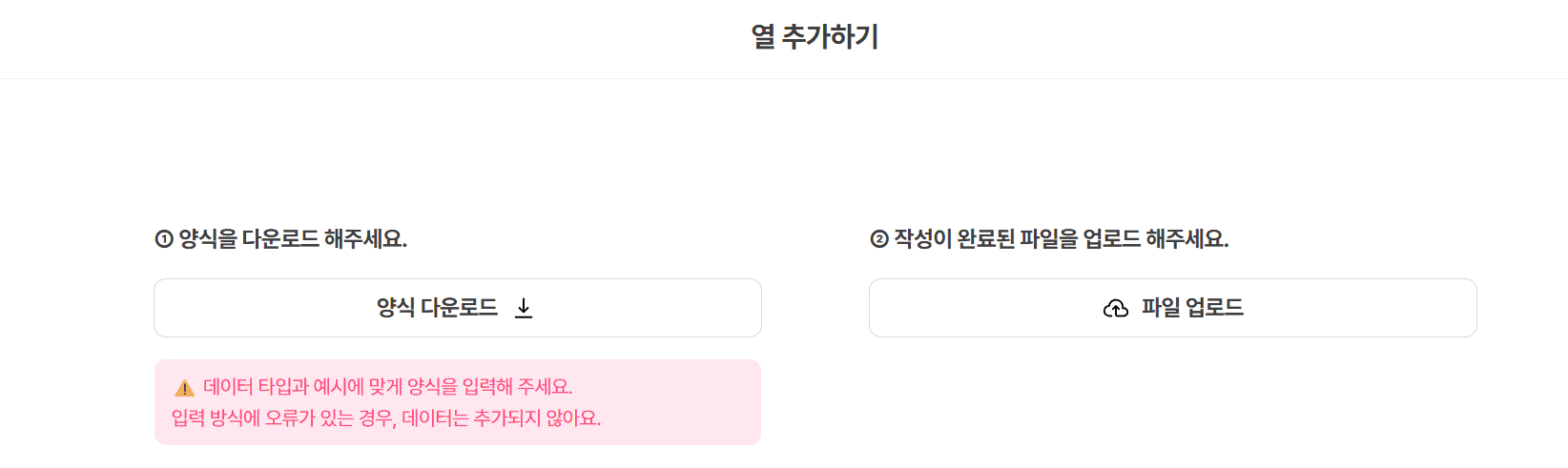
Please click the [+Add Column] button in the top right corner.
2) Download the Panel Information Form
Please click [Download Form] on the left to download the Excel file.
Please enter the panel information into the downloaded file!
3) Create the Excel File
Enter User ID
The User ID is a unique value that can identify users within the actual service.
It is recommended to use the User ID used in Amplitude or Mixpanel for comparison with behavioral data.
Enter Mobile Number
The entered mobile number and personal information will be automatically encrypted from the time of upload.
Only brand administrator accounts can access it, and all data is securely protected according to Userspoon's security policy.
👩🏻💼 What is a brand administrator?
It refers to the person in charge of managing panels and research within a company that uses Userspoon's brand panel. Userspoon provides a research ops environment, and only the brand administrator is granted the authority to view actual data and manage panels.
📍 After registering the brand panel, all panels receive the Consent Procedure for Personal Information Collection. Notifications cannot be sent to the respective panels without their consent.
📍 The search results of panel information by team members are all recorded.
Administrators can check the viewing records of team members' panel information.
Enter Profile Information
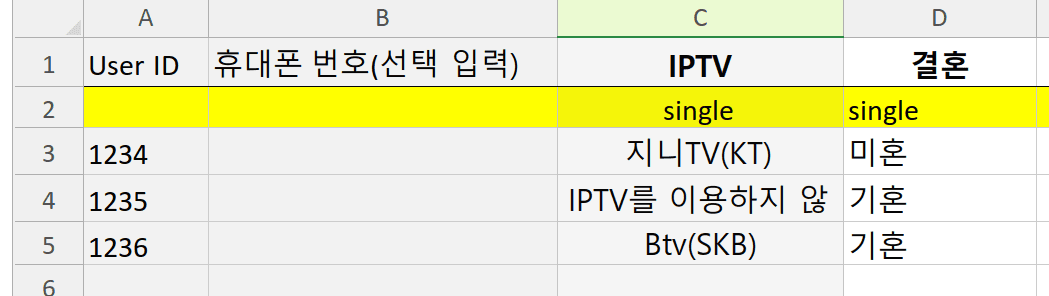
Please enter the user's profile information starting from column C.
*The name entered in row 1 will be displayed as the column name in the panel list.
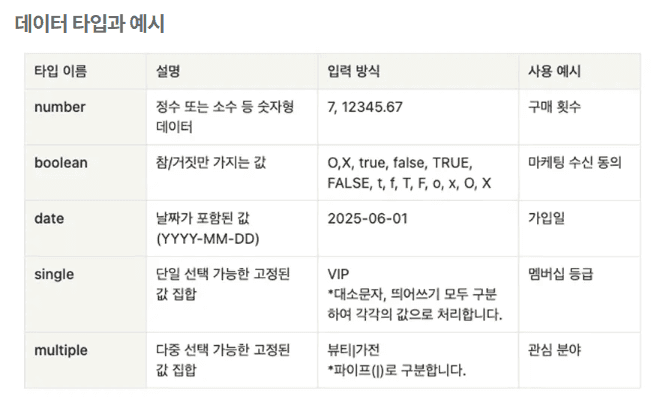
*Please make sure to select the data type in row 2.
*You do not need to enter a data type for User ID and mobile number!
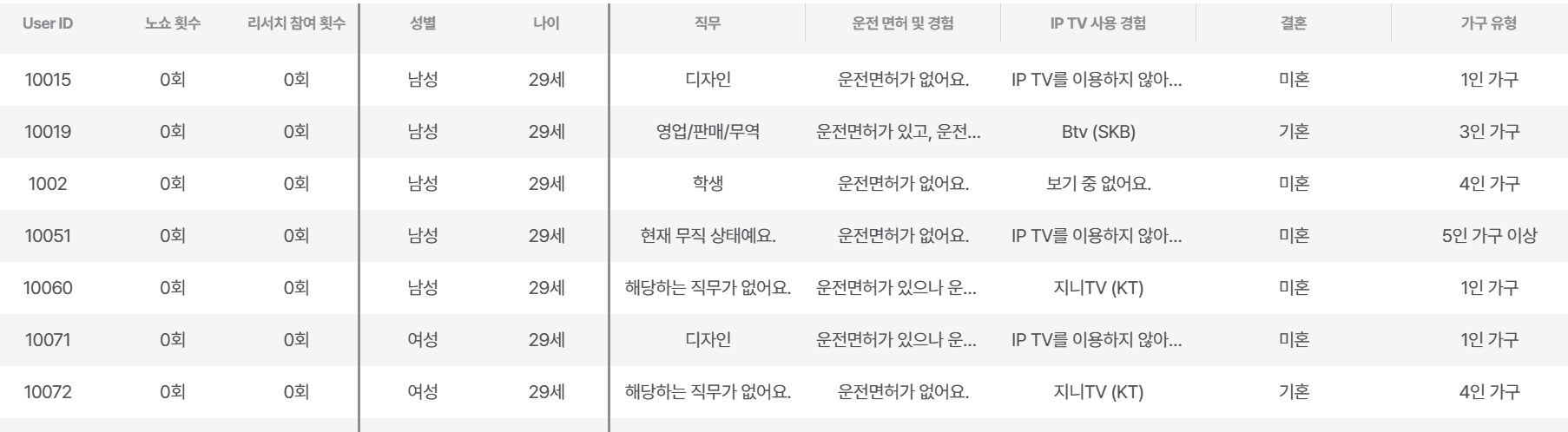
For example, if you want to check IPTV usage experience, please enter 'IPTV usage experience' in C1.
You can check the profile information for each panel under the column name ‘IPTV usage experience’ in the panel list.
*If there is no profile information to enter, you can leave it blank. You can collect the desired information later through profile questions!